
Decide whether the work is suitable
Your organization remains responsible for hazard assessment, training, supervision and emergency planning.
How Be Safe works
Workers use Be Safe to stay in touch during a shift. When a check-in is missed or a supported alert arrives, a Be Safe Operator follows up and responds to the situation.
24/7 human monitoring is provided by our monitoring partner and included with Be Safe.
From start to finish
Start with a plan, follow the check-in routine and review the shift. If someone needs help, the monitoring and response steps come into play.
Before work starts
Schedule shifts and agree on check-in intervals around the work and its risks. Set the response instructions and configure primary and secondary Emergency Contacts in the worker's assigned ERP Group.
If a scheduled shift is not started, an automated notice can alert Emergency Contacts when configured. Be Safe Operators do not handle missed scheduled-shift notices.
Your organization assesses whether the work is suitable for someone working alone.
During the shift
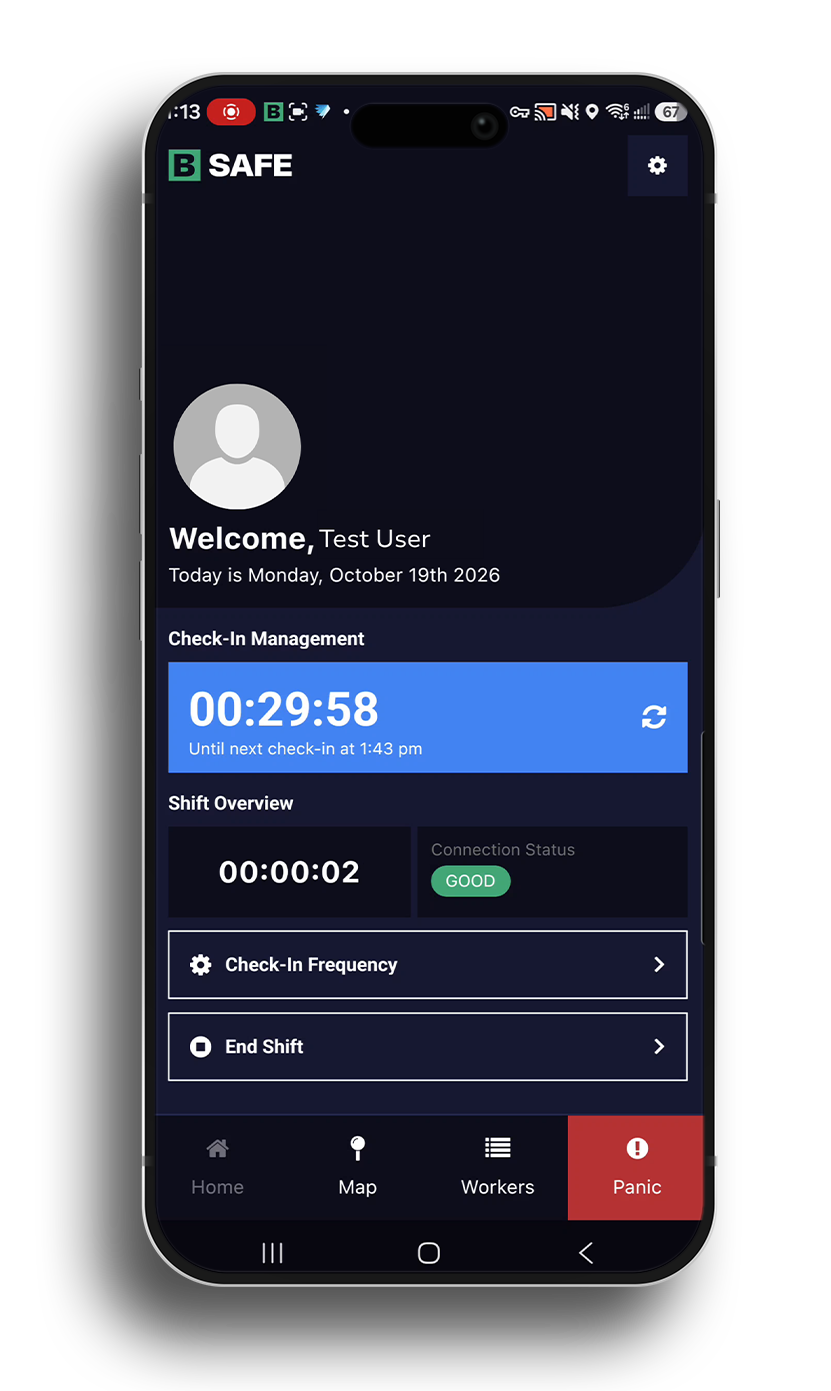
The worker starts a shift in the app and checks in at the agreed intervals. Intervals can be adjusted during the shift as the work or risk changes.
Automatic driving check-ins are enabled by default on supported devices. Plan for changes in location or available connection.
If attention is needed
If a check-in is missed during a shift or a supported safety alarm arrives, a Be Safe Operator from our 24/7 monitoring partner manually calls and messages the worker, using the ERP Group response instructions to guide follow-up and escalating as the situation requires.
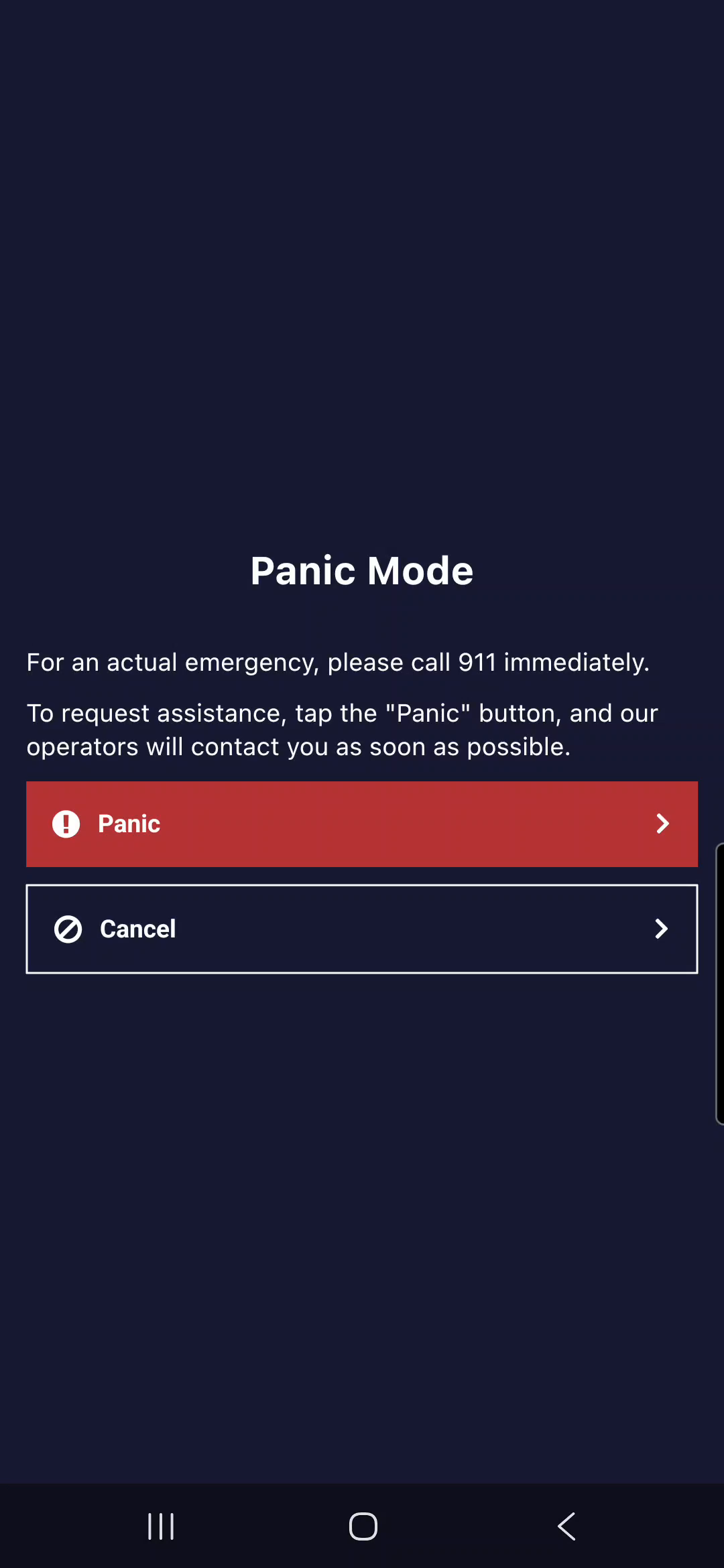
A worker can use Panic Mode to raise an urgent alarm. An automatic alert can also notify the configured Emergency Contacts, while a Be Safe Operator follows up. If you can call 911 directly in an immediate emergency, do so. Alert delivery depends on the device, connection and setup.
If escalation is needed
The Be Safe Operator follows the Emergency Contact priority for the worker's ERP Group. When an Emergency Contact accepts responsibility, they and the operator can continue coordinating the response by phone. Depending on the situation and your procedure, follow-up may also involve emergency services or a welfare check.
The operator records actions and outcomes in the Be Safe Activity Log.
Authorized supervisors can see who is in alarm and view location on their phone to help locate a worker. Location can update in real time when the device and connection support it; the map may otherwise show the last available location.
At the end of work and afterward
The worker ends the shift in the app.
Authorized supervisors can review detailed shift reports and a map archive. Available fields, access and retention depend on your setup. Records support review; they do not prove compliance or guarantee legal protection.
Your organization's role
Your organization remains responsible for hazard assessment, training, supervision and emergency planning.
Maintain primary and secondary Emergency Contacts and clear actions for missed check-ins or unavailable communication.
Be Safe supports a work-alone program. It does not guarantee compliance, communication, emergency dispatch, rescue or outcomes.
Next: pricing
Workers are billed for each calendar month they are active. Supervisors are billed every month. Human monitoring, setup, training and support are included, with no setup fees.
Include your team's follow-up and review time, plus any equipment or service costs, when comparing options.
See PricingCommon questions
Yes. One-time or recurring shifts can be scheduled with pre-start reminders, and agreed check-in intervals can be adjusted during the shift as the work or risk changes. Available settings and worker actions depend on your setup.
No. During alarm follow-up, a Be Safe Operator can initiate phone SMS when the phone service supports it, even if mobile data is poor, or use a linked satellite communicator when supported. App check-ins do not automatically switch to SMS. Plan for periods without coverage.
With a supported Garmin inReach or ZOLEO device and the right setup, workers can start a shift, check in and end a shift through their communicator. Garmin and ZOLEO device SOS functions use their own emergency response services, separate from Be Safe monitoring. Confirm the device, subscription, setup and supported actions with Be Safe.
The worker ends the shift in the app. Authorized supervisors can review available shift reports and the map archive. Available information depends on the setup.
Be Safe supports a work-alone program. It does not guarantee compliance, communication, emergency dispatch, rescue or outcomes. Your organization is responsible for emergency arrangements. No response time is guaranteed.